Do you want to send an empty message through WhatsApp on your iPhone? WhatsApp does not allow for sending messages that have no text; if you press the send button without writing any text, the message will not be sent.
However, it is easy to send a blank text through WhatsApp. You can use an invisible character by copying it from the internet and pasting it into your WhatsApp conversation. The invisible character will occupy space but will not look like a character at all, and as a result, there will be an impression of simply sending a blank message to the person with whom you are conversing via WhatsApp.
This guide explains how to send an empty message on WhatsApp using an iPhone.
Table of Contents
Can You Send a Blank Message on WhatsApp iPhone?
There is no option for sending empty messages on WhatsApp. This app expects that you will either write something or input some kind of emoji before sending your message.
However, you can do the trick by using an invisible Unicode character.
Here’s how:
- Copy an invisible character.
- Go to WhatsApp on your iPhone.
- Choose the relevant chat.
- Paste the invisible character.
- Press Send.
The message may appear empty because the character cannot be seen normally.
How to Send an Empty Message on WhatsApp iPhone
Follow these steps.
Step 1: Copy an Invisible Character
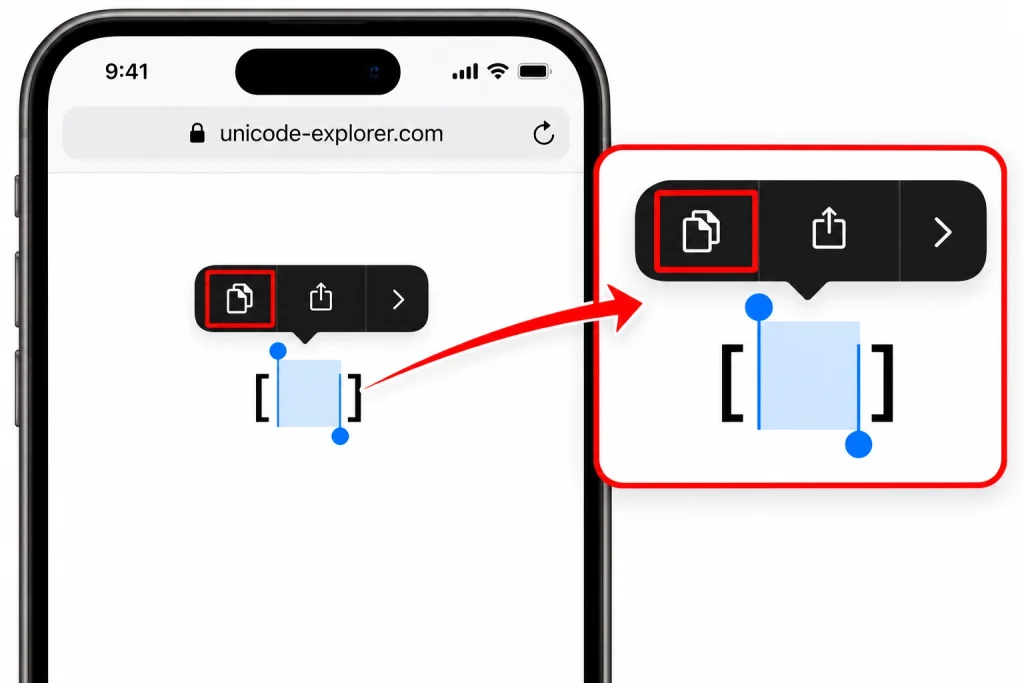
First, you need an invisible character. Do not just copy a regular blank space because WhatsApp may or may not recognize it as a valid message. You can find an invisible character through a trusted site specializing in Unicode blank characters, but be sure to only copy the character and not other text.
You can also paste the invisible space between the brackets in the sample below:
[ㅤ]
Be sure to copy just the invisible space.
Step 2: Open WhatsApp
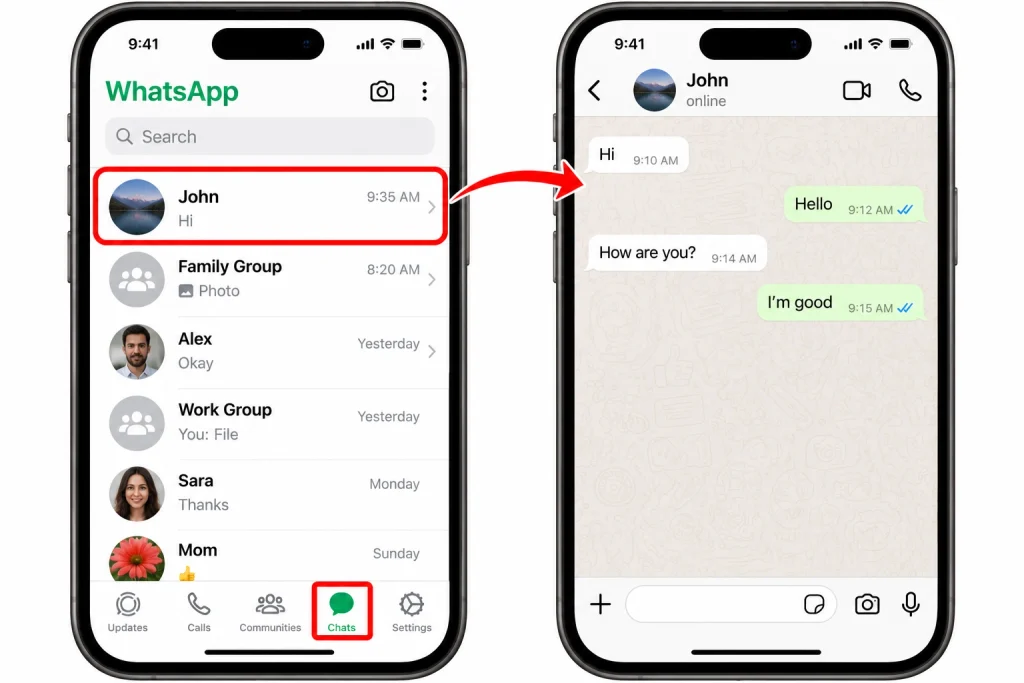
Now open WhatsApp on your iPhone.
Go to the Chats tab and pick the individual or group you wish to send an empty text message to.
Step 3: Paste the Character
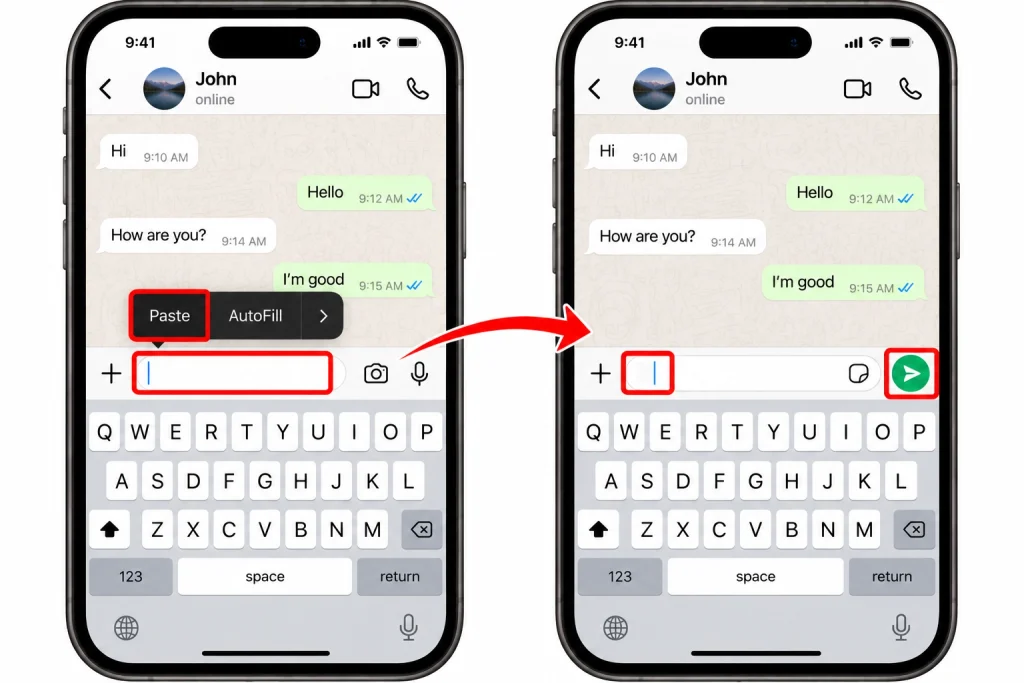
Tap the message box at the bottom of the chat.
Next, press and hold in the message box area and select Paste from the resulting menu.
You may not see any regular text appear after you paste the invisible character, however, the message box will likely appear with the invisible character inside it.
Step 4: Send the Message
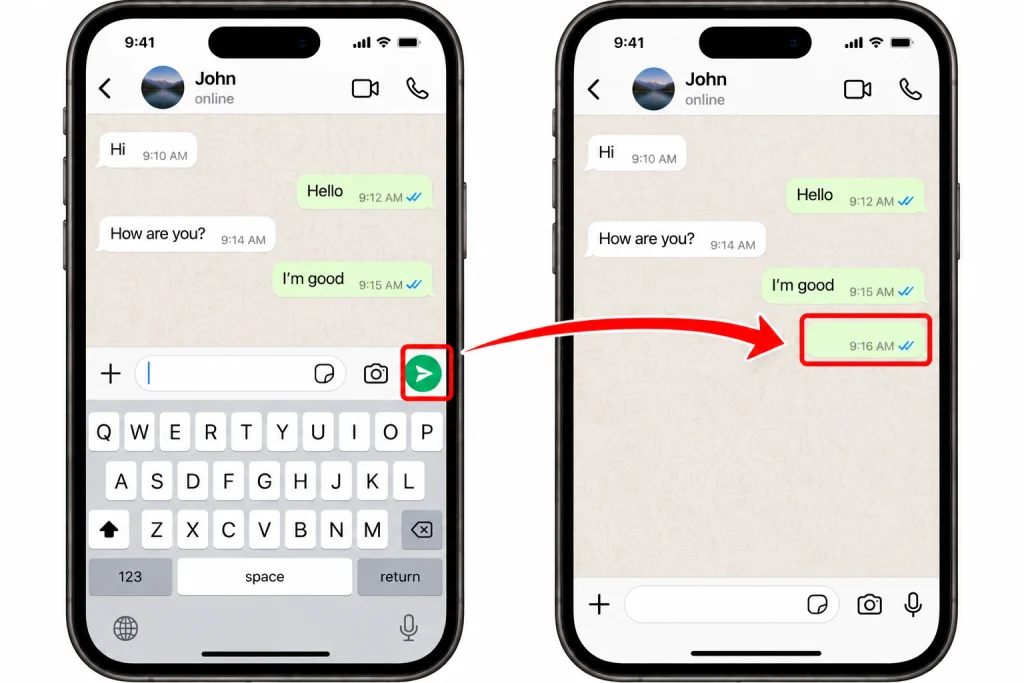
Once you copy the character, check the right side of the message box.
If WhatsApp can see the character as message content, the Send button will be ready.
Tap the Send button
The message should now be in the conversation. Since the character is invisible, it can look like an empty message.
3 Best Websites to Copy Invisible WhatsApp Messages
Many websites allow you to copy these characters for free. Below are three useful websites you can try when you need to copy an invisible or blank character for WhatsApp.
1. Unicode Explorer

Unicode Explorer is a fantastic way to learn about Unicode characters, especially some that may not show in the usual manner. It will show you more about special characters while also displaying how Unicode operates.
In WhatsApp, this becomes incredibly useful as it allows you to find an invisible character, copy it, and paste it into your WhatsApp.
How to Use Unicode Explorer
- Visit Unicode Explorer using your browser.
- Locate the invisible character or a blank Unicode character.
- Copy the character.
- Go to WhatsApp.
- Select a chat.
- Paste the character into the text box.
- Press send.
When the user receives the message, the result will depend on the character you used and how updated your app is. If one character fails to work, just select one that may work.
2. Invisible Characters
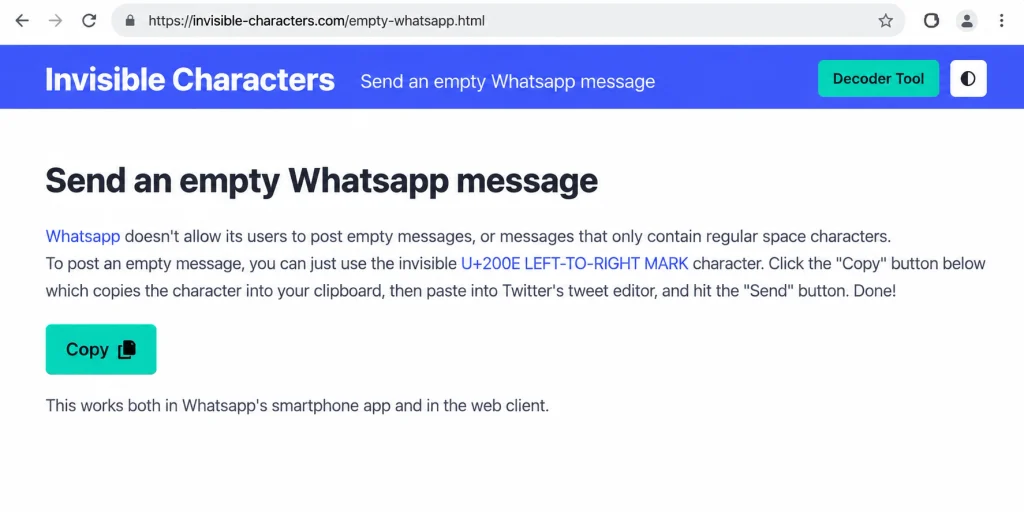
Invisible Characters is an additional platform that revolves around the utilization of unseen characters and non-printable symbols. Its particular benefit is that it provides you with a chance to receive a character that behaves like a blank space while still serving as a text character for your particular application.
Thus, what makes the website so beneficial is its help for WhatsApp users wanting to play with blank messages
How to copy an invisible character
Firstly, navigate to Invisible Characters in the browser of your iPhone or computer. Once you’re on the webpage, look for the option of copying an invisible character.
Then do the following:
- Copy the invisible character
- Open WhatsApp
- Access the chat where you want to send it
- Paste the character in the message box
- Check if the Send button is visible
- Hit Send
If the message is empty after sending it, the invisible character has been successful.
However, keep in mind that not all hidden characters will behave in a similar manner since some hidden characters will appear empty, while some will not be accepted as a separate WhatsApp message.
3. EmptyCharacter
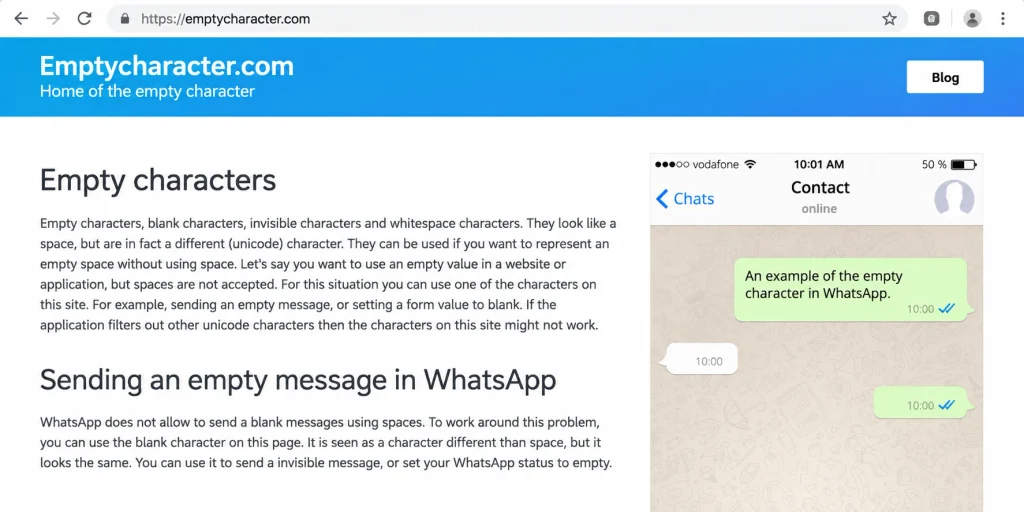
EmptyCharacter is a very simple solution when you want an invisible character. This site specializes in invisible characters that look blank while still carrying Unicode characters.
This is a very helpful tool because you do not have to enter a character manually or search for a Unicode code.
How to use EmptyCharacter:
Go to the site and choose the character you want. Copy it and then continue in WhatsApp.
Now, once you have it copied:
- Start a private conversation or a group message.
- Type a message by tapping in the message box.
- Paste the invisible character into that box.
- Verify that you can send it in WhatsApp.
The message should now have an appearance of a blank message if the character is accepted.
What If WhatsApp Does Not Let You Send It?
The invisible character solution may not work. As there is variability in the invisible Unicode characters, this could be the reason.
Try another invisible character if the first one does not work. Ensure you did not copy any brackets or other visible text.
You can also perform the following simple checks:
- Try pasting it again.
- Close and reopen WhatsApp.
- Check if WhatsApp is updated.
- Attempt sending it to another chat.
- Confirm whether the Send button shows up after pasting.
If the Send button still does not show up for your message, it could be likely your copied character is not recognized as a valid message.
Can You Send an Empty Message Without an Invisible Character?
There are many invisible Unicode characters available that you can use to send a blank message. The important thing to remember about sending a blank message on WhatsApp is that normal spaces won’t cut it, as when you only send a space, WhatsApp does not consider that to be a “meaningful message.”
So, if you want your message to appear blank, this is a great way to do so using invisible Unicode characters.
Remember that this is not an official feature of WhatsApp. It is possible that future updates will change how WhatsApp processes messages with unusual Unicode characters.
Why Do People Send Empty Messages?
There could be many harmless reasons for someone to send an empty text message.
For example, a person could send a blank text to pranks or as a joke to someone. Some people send blank texts to see how WhatsApp renders some odd characters.
Some may experiment with Unicode or text layout.
But it would be good to limit the application of this trick only in normal conversations. Sending repeated blank text messages to a person could become irritating.
Does the Empty Message Work on WhatsApp Groups?
Yes, an invisible character can generally be sent to a WhatsApp group similarly to sending it to an individual chat.
You can open the group, paste the invisible character, and send it.
Bear in mind that the message may go to everyone in the group, so it’s wise to refrain from sending too many blank messages in busy groups.
Is This a WhatsApp Bug?
Not really.
WhatsApp is designed to prevent users from sending an empty text message. The trick involves sending a Unicode character, which is not visible.
For that reason, the message isn’t truly empty since it carries a character. The character simply doesn’t appear like regular characters.
This is how WhatsApp can consider it a message.
Final Thoughts
Using an invisible Unicode character, you can send an empty message through WhatsApp on an iPhone, but there is no button to do this with; however, the copy-paste technique is simple to try.
All you need to do is copy an invisible character, open WhatsApp, paste it in the message box, and hit Send. You may have to try a different invisible character if this does not work because some invisible characters may not be compatible with WhatsApp.
What is important to keep in mind is that even though the message looks empty, it contains an invisible Unicode character.